
Feedback collection & setup

Start collecting feedback at every customer touchpoint

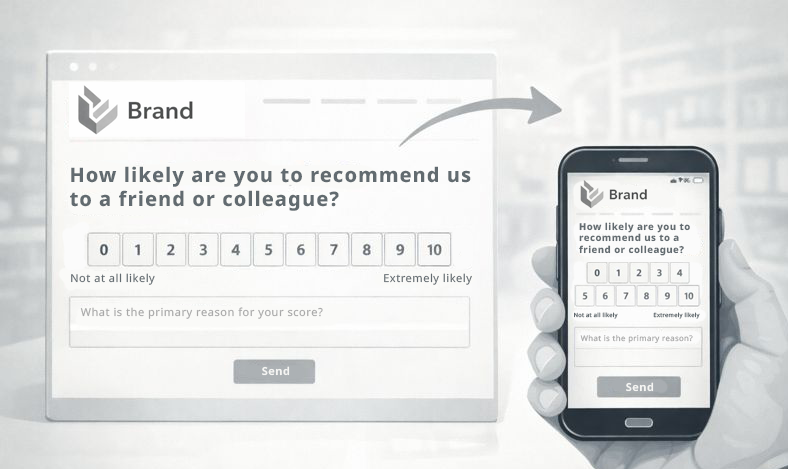
Collect feedback in minutes — using hosted forms, widgets, shareable links or QR codes to capture key moments across the customer journey.
Setup: Easy Time to value: Minutes Included in: Free, Starter, Pro
Start with the Free plan and upgrade later.
Start collecting feedback at every customer touchpoint

What you achieve

Make feedback collection simple and consistent — no matter where customers are.

Quick launch
Start with hosted links and expand to widgets and QR codes when needed.
Higher response rate
Place feedback at the right moment in the journey.
One central inbox
Collect responses in one place across multiple channels.
Consistent experience
Use the same form logic everywhere and keep data comparable.
Common KPIs
Response rate Feedback volume Channel mix Time-to-first-response

How it works

Pick the simplest integration for your situation and expand over time.

  1. Create a form
    Start with NPS or a simple rating + comment.
  2. Choose an integration
    Hosted link (fastest), widget snippet, or QR for print.
  3. Place it at key moments
    Post-purchase, after support, in-store, or on documents.
  4. Review and iterate
    See what works and optimize placement for response rate.
Used features
Feedback collection Hosted forms Website widget Shareable links QR codes

Examples

Typical touchpoints teams start with.

After purchase
Ask for feedback right after delivery or order completion.
After support
Collect feedback after a ticket is solved.
In packaging
Add a QR code on inserts to capture in-the-moment feedback.

Setup

Hosted links work without coding. Widgets require adding a small snippet.

Hosted link (no-code)
Copy & paste the form URL into email, chat, or a button.
Widget (copy & paste)
Add the snippet to your website template to embed the form.
QR code (print)
Generate a QR code for documents, flyers, posters or packaging.
HeyScore provides a code generator so teams can copy & paste embed snippets and links.
Launch your first feedback touchpoint today
Start with a hosted link in minutes — and expand to widgets and QR codes when you’re ready.

Use case FAQs

Not for hosted links. For widgets, someone who can edit the website template is helpful — it’s usually a small copy & paste step.

Yes. Use a hosted form link in your email templates or campaigns.

Yes. QR codes can be used on print materials and in physical locations.