
Advanced feedback data

Link feedback to products, customers and transactions

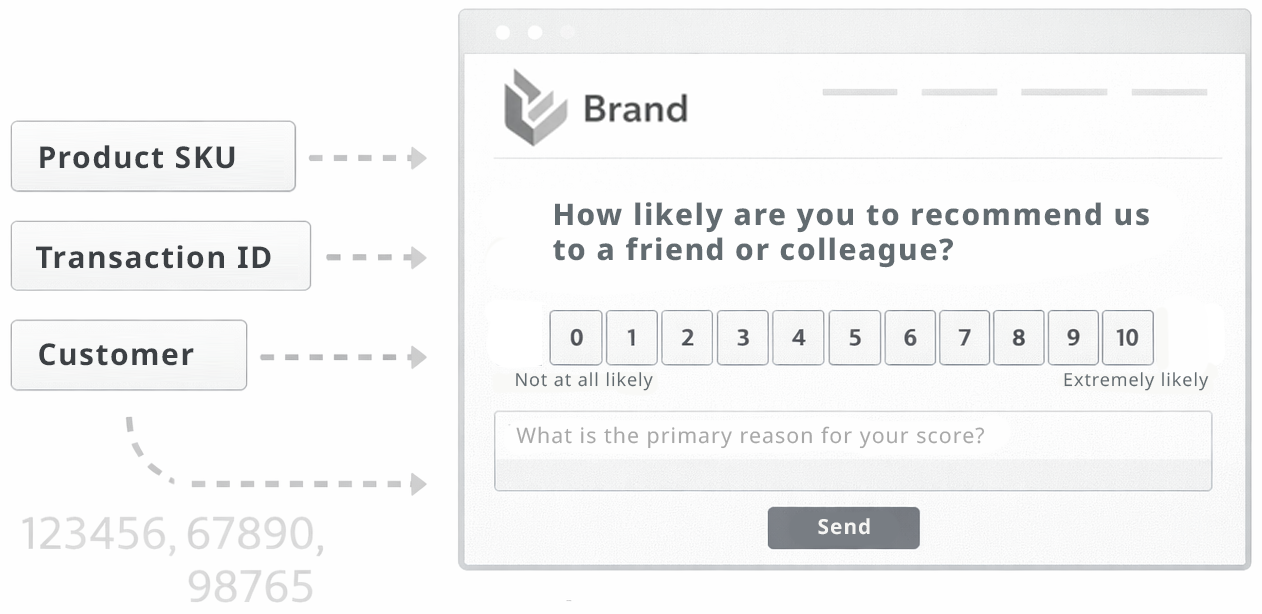
Enrich feedback with metadata like product IDs, order numbers or customer references to enable precise analysis, follow-ups and operational workflows.
Setup: Advanced Time to value: A few days Included in: Pro
This use case requires a bit more setup — and unlocks powerful workflows.
Link feedback to products, customers and transactions

What you achieve

Make feedback operational by connecting it to real business entities.

Targeted follow-ups
Reach out to specific customers when feedback indicates a risk.
Product quality insights
Analyze feedback by product, batch or series to spot issues.
Operational workflows
Route issues to the right team with the right context.
Better decisions
Make improvements based on connected data, not isolated comments.
Common KPIs
Issues linked to orders Negative feedback by product Batch/series trend Time-to-resolution

How it works

Add identifiers to feedback so you can act with context.

  1. Decide which metadata matters
    Order ID, product SKU, customer ID, location ID, etc.
  2. Attach metadata to forms
    Metadata can be added to any form — not just QR codes.
  3. Link and analyze
    Filter and drill down by product/order/customer to find patterns.
  4. Operationalize actions
    Use the context to resolve issues and measure improvement.
Used features
Metadata mapping API integration Dynamic QR (API) Feedback collection

Examples

Examples of workflows unlocked by metadata.

Contact at-risk customers
Follow up with detractors on high-value orders to prevent churn.
Product series quality monitoring
Detect a rising negative trend for a specific SKU or batch.
Location-based operations
Compare feedback across locations and intervene where needed.

Setup

This use case is best when you can pass IDs from your systems into HeyScore.

Start with one identifier
Begin with order ID or product SKU for immediate value.
Integrate via snippet or API
Attach metadata fields when you render or link the feedback form.
Define workflows
Decide what happens when feedback is linked to an entity (support, product, ops).
Tip: Keep metadata minimal at first. One reliable ID is better than many inconsistent fields.
Make feedback actionable with context
Upgrade to Pro and link feedback to products, customers and orders to unlock operational workflows.

Use case FAQs

No. You can attach metadata to any feedback form — web, email links, widgets and QR flows.

Often yes — at least someone who can pass IDs into the form or generate dynamic links. The setup is still lightweight compared to full integrations.

Filter dashboards by SKU/order/customer, detect quality issues, and run targeted follow-ups.